The right reference, frame by frame
Burn in time-of-day or elapsed timecode. Adjust its size and position, then recall your settings with saved presets.

Live timecode generation
Every frame has a reference. Every take stays under control. Record an NDI source with frame-accurate burnt-in timecode. A .mov file ready for editing, an NDI output for the control room and remote control. Built for live production, native on Apple Silicon Mac.


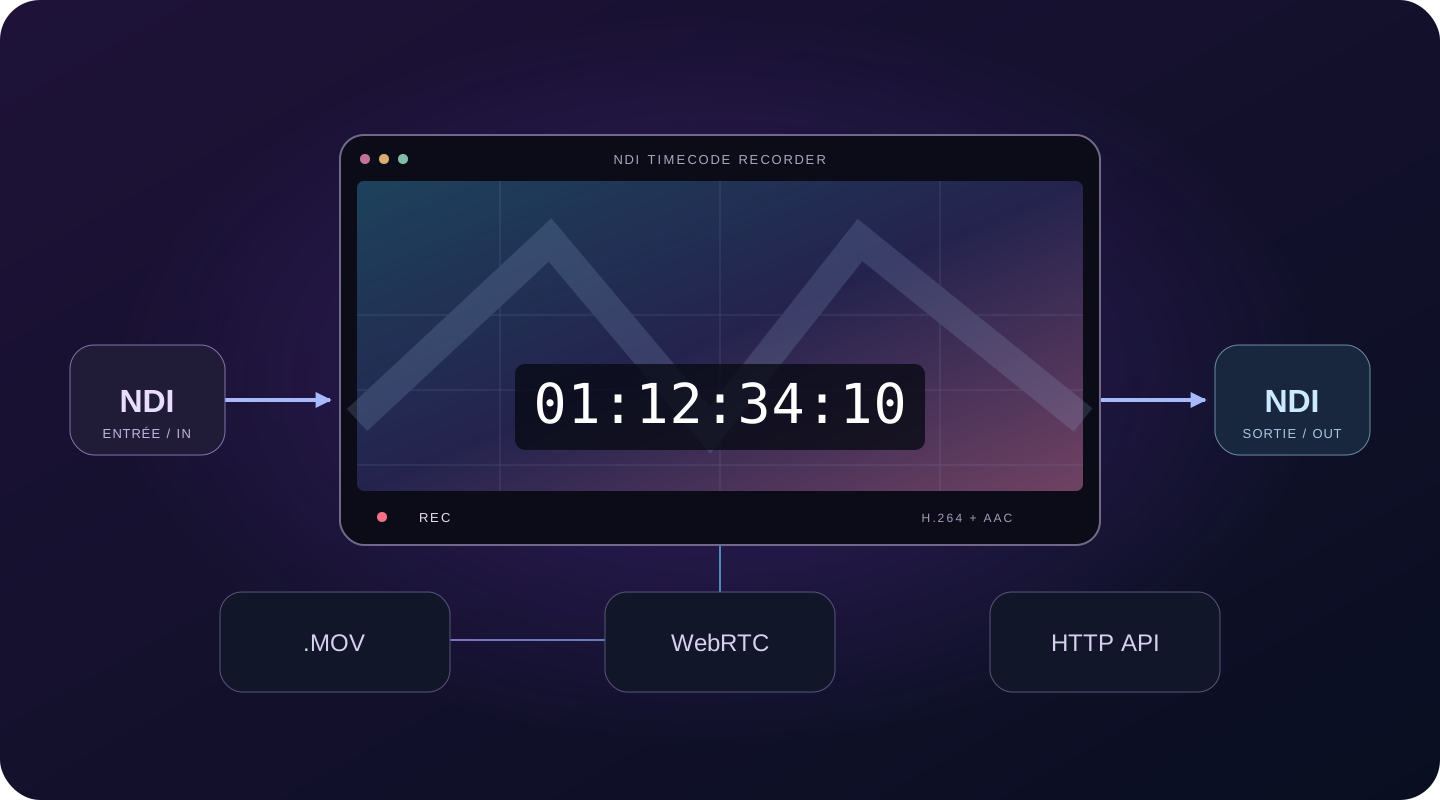
Burn in time-of-day or elapsed timecode. Adjust its size and position, then recall your settings with saved presets.
Record H.264 video with AAC audio in a .mov file, compatible with your editing software.
Send the feed with its timecode to your switcher, monitors or other workstations on the network.
Monitor with very low latency over WebRTC on an iPad, TV or browser. No monitoring app to install.
Control recording and the overlay with the HTTP API: Bitfocus Companion, Stream Deck, scripts or your automation system.
100% native on Apple Silicon, with accelerated Metal rendering. Choose the network interface and port for your multi-network setup.
Start by installing the application to retrieve your Mac’s Machine ID. The download prepares activation; it is not a trial version. Then paste your identifier into the Hardware ID field below and continue to secure Stripe checkout. One licence covers one Mac.
49.00 EUR
It selects an NDI source on your network, burns in frame-accurate timecode and records the result as H.264/AAC in a .mov file. Timecode can show time of day or elapsed time.
An Apple Silicon Mac with an M1 or later chip, macOS 14 or later and an NDI-compatible network. The supplied version is 1.0 for arm64.
No. You can download the application before purchasing to install it and retrieve your Machine ID, but no trial version is offered.
Install the application, retrieve the Machine ID of the Mac to activate and enter it in the Hardware ID field. The purchase button takes you to Stripe. The perpetual licence covers one Mac; your licence key is emailed within 24 hours of payment.
Yes. The HTTP API controls recording and the overlay from Bitfocus Companion, a Stream Deck, a script or an automation system. WebRTC monitoring lets you view the picture in a browser without installing an app.
NDI Timecode Recorder for Apple Silicon Mac. macOS 14 or later.